



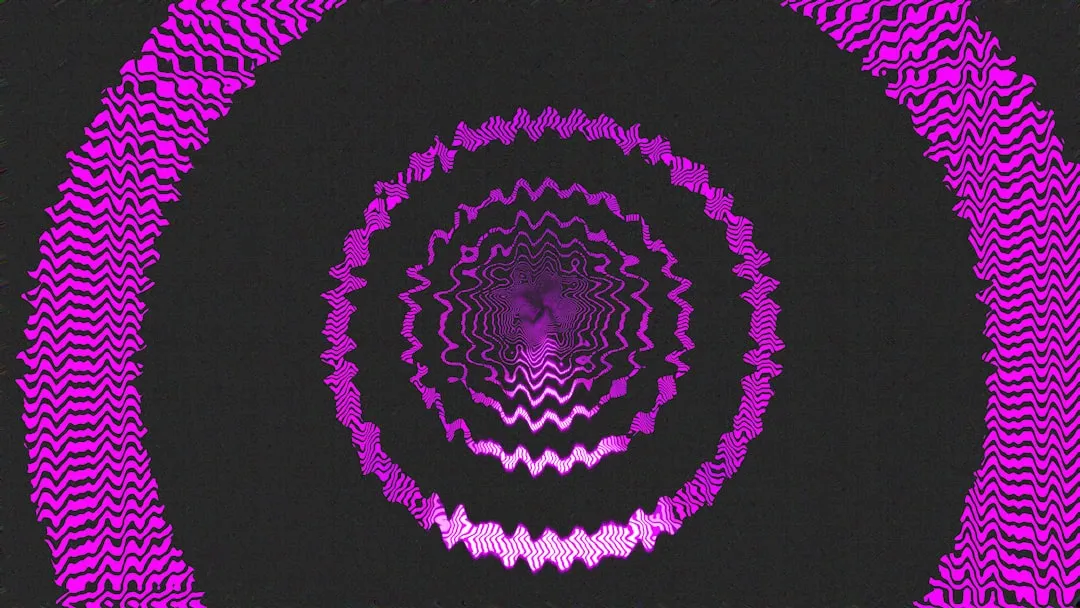
A browser tool called Musical Spirograph turns the classic geared drawing toy into something you can hear as well as watch. Points move across the screen, tracing looping curves, and those same points trigger musical notes as they travel, so the image and the sound come from one motion rather than two separate systems, according to coverage from Alto.
Think of the plastic Spirograph many people used as kids: a toothed disc spun inside a ring, and a pen traced loops and stars onto paper. Musical Spirograph online works from a similar curve-drawing idea, except every point crossing through one of a set of nested rings also plays a note, turning the drawing session into a short audiovisual sequence rather than a finished picture. The available reporting confirms the basic mechanism and two control options, but it doesn't document the full interface, including whether a session can be saved.
What a rotor and an arm actually control
Two words carry most of what's confirmed here: rotor and arm. The available coverage identifies six virtual rotors, but it doesn't explain how their underlying patterns differ from one another. It also confirms that up to three arms can draw at once, but it doesn't say whether each arm traces an independent path, a mirrored version of the same path, or something else entirely.
One question worth testing directly is whether switching rotors changes the shape of the curve, the character of the sound, or both. Another is whether adding arms multiplies the number of notes triggered or mostly adds more lines to watch without changing the audio much. Neither is answered in current reporting, so both are things to notice rather than assume going in.
How a moving point becomes a note
Points move across the screen according to mathematical equations that generate hypotrochoids and epitrochoids, the technical names for the looping, petal-shaped curves a geared drawing toy produces. As those points travel, they pass through a series of concentric rings, and that passage triggers specific notes.
What isn't specified is exactly when a note fires: on entering a ring, on leaving it, or at some other point in between. It's also unclear whether the sound plays continuously or in discrete pulses tied to those ring crossings. That's one of the more useful things to listen for once the tool is actually open, since no source describes it in detail.
Where these curve shapes come from
A hypotrochoid is what you get when a point on a small circle rolls around the inside of a larger, fixed circle at some fixed distance from that small circle's center. The classic plastic Spirograph draws exactly these curves, using a toothed cog that rolls inside a toothed ring while a pen marks the path through one of the cog's holes. Musical Spirograph uses curve families associated with that same kind of drawing, generated by equations rather than physical gears, and layers sound triggers along the path.
The ratio between the two circles' sizes shapes how the curve repeats and closes, not simply how many lobes it grows. When the fixed ring is exactly twice the size of the rolling circle, the result is a plain ellipse. Other ratios produce different degrees of rotational symmetry and different points where the path finally rejoins its start. On a physical toy, that comes down to tooth counts: a 60-tooth ring paired with a 20-tooth gear reduces to 1:3 and produces three-fold symmetry, while a 65-tooth ring against a 25-tooth gear reduces to 5:13 and produces thirteen-fold symmetry.
The available coverage does not identify the ring sizes or ratios behind the six rotors in Musical Spirograph. There's no way to predict from the math alone how a given rotor will look or sound. That's something to notice by trying it, not something to calculate ahead of time.
Before you open Musical Spirograph online
What's confirmed is fairly narrow. The tool runs in a browser, based on how it's described in current reporting. Six rotors and up to three arms are the documented range of settings. No account, install, or specific hardware is mentioned, though the absence of a stated requirement isn't the same as a guarantee that none exists.
If nothing appears or plays when the page loads, check that the device volume and the browser tab itself aren't muted before assuming something is broken. Muted tabs are a common reason browser-based audio tools appear silent.
A structured way to compare rotors and arms
For a quick comparison, treat a session as a set of observations rather than a search for a correct answer. No available source recommends a particular rotor or arm count, though that's likely a gap in what's been written rather than confirmation that every combination is equivalent.
A workable sequence to try:
Select rotor 1 with one arm running. Write down what the curve looks like (tight loops, wide petals, a rough count of points) and what the sound sounds like (sparse or dense, repeating or varied).
Keeping rotor 1 selected, add a second arm, then a third, without touching the rotor. This isolates arm count as the only thing that changed between rounds.
After each addition, note whether the curve's shape changed or just picked up more lines, and whether new notes joined in or the existing ones simply repeated faster.
Switch to a second rotor, drop back to one arm, and repeat the same sequence.
A finished session should leave behind a filled-in table, not a firm answer about how the note mapping works. Success here means having a written record of at least one rotor paired with all three arm counts, plus enough description to recognize that setup again by reading the notes rather than by remembering the sound. If two rows end up looking and sounding nearly identical, that's a useful result too. It may mean two rotors behave more alike than expected, not that something went wrong with the comparison.
What remains unknown
Several practical details aren't covered in the reporting available on Musical Spirograph:
Which notes or scale each ring plays, and whether that mapping changes by rotor
Volume, mute, tempo, or instrument controls
Whether changing a rotor or arm count restarts the composition or continues an existing pattern
Mobile compatibility, offline function, and accessibility accommodations such as keyboard control
Any save, export, or share-link feature
If a particular combination sounds worth keeping, that missing save feature is the most immediate limitation. A screenshot or screen recording is a general device workaround, not a documented feature of the tool. Writing down the rotor number and arm count by hand is one practical way to find a favorite setup again, though it won't preserve the audiovisual session itself, only the settings needed to try recreating it.
If you want a saved, printable spirograph instead
For anyone whose goal is a finished piece of art rather than a live listening session, a separate browser tool called Tembrica's Spirograph offers export and sharing features Musical Spirograph is not documented as having. It lets you drag ring, gear, and pen-offset sliders to shape a curve, stack up to eight colored layers, and export the result as a PNG at 1x, 2x, or 4x resolution or as a scalable SVG, plus a share link that reproduces the exact same design for anyone who opens it. It's built around a different goal, a visual file you can keep, rather than a generative audio session, but it's worth knowing about if a saved image matters more than sound.
Open Musical Spirograph online expecting what current reporting actually documents: six rotors and up to three arms drawing at once, not a composable instrument with a save button, since the available coverage does not document composition controls or a save feature. Try at least one rotor against all three arm counts, fill in a table as you go, and write down any combination worth revisiting by hand. If a saved image matters more than a live sound, Tembrica's exporter and share links already handle that; Musical Spirograph, for now, doesn't.














Comments
Be the first, drop a comment!